
Read It To Me Read any page aloud, in your own language
Read It To Me reads articles, PDFs, docs and email aloud — in 50+ languages, with a voice you pick. Take in what you read without the struggle, rest your eyes, and move on. Free, no sign-up.
 Add to Chrome — it's free

This is what it looks like
No mock-ups. This is the actual panel, reading actual pages.
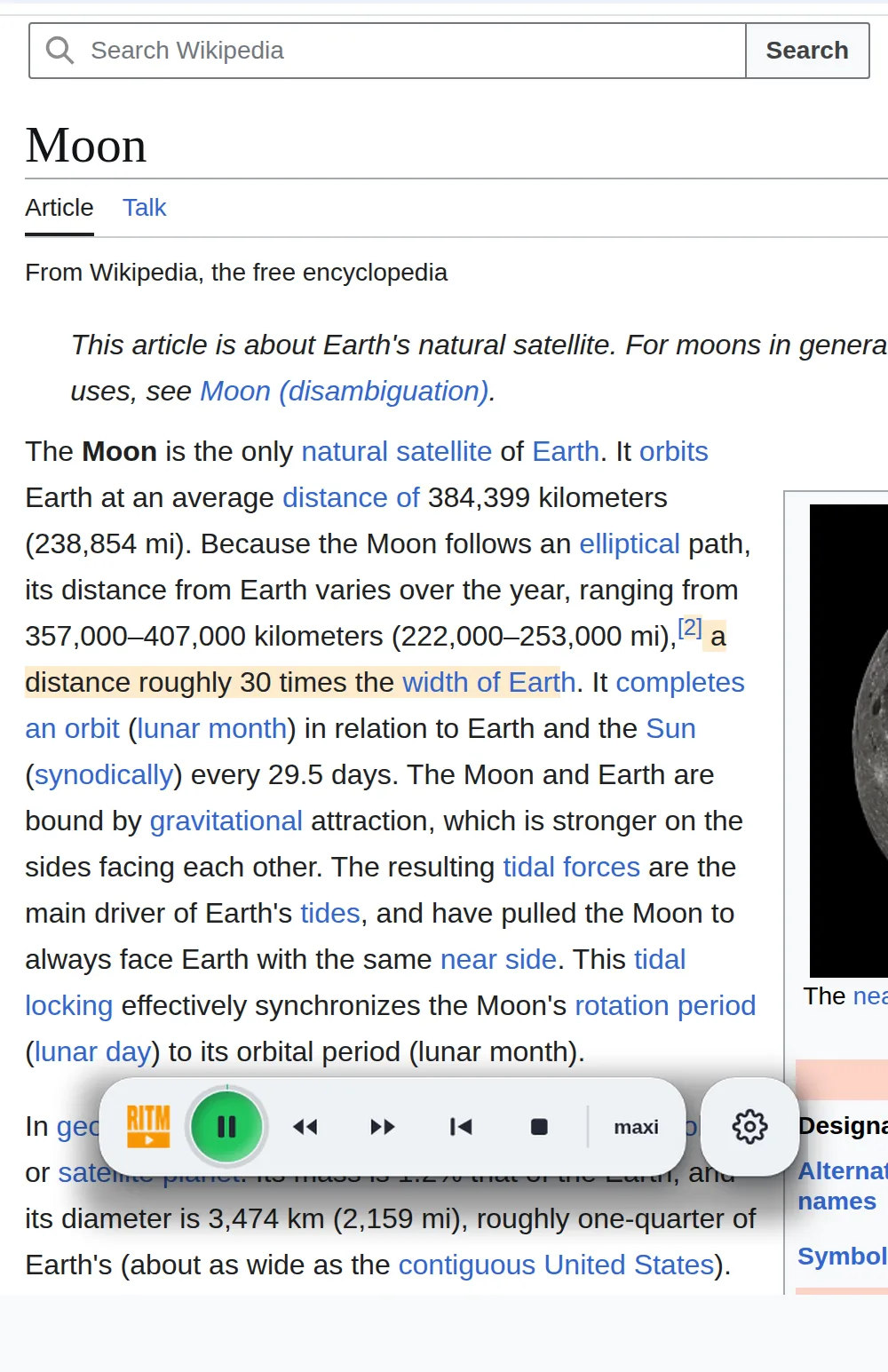
It reads in a side panel, not over your page
The page stays where it is. You keep scrolling and working in the same tab while it reads, and the current line is highlighted so your eyes can follow — or rest.
- Three tabs: Web, Books and YouTube
- Tap EN to switch to a translation: large type for the translation, the original in small type below
- 50+ languages, free voices or your own AI voice


Close the panel. The voice keeps going.
Press “mini” and a small player sits right on the page: play, pause, skip, stop. Drag it out of the way and close the side panel — the reading goes on.
- Floats over the page you are reading
- Drag it anywhere — it remembers the spot
- Appears on sites where you have allowed reading
A video, as text you can click
Open a video and the YouTube tab shows its transcript line by line, with times. Click a line and the video jumps there. EN translates the whole transcript, and Summary sends it to the AI chat you already use.
- Listen to a talk instead of watching it
- The translation next to each original line
- A summary in one click, in your own chat


Stop mid-sentence. Come back a week later.
Open a PDF, EPUB or FB2 from your computer and it reads page by page. One click saves the spot, or the sentence you want to keep. Sign in, and your shelf, bookmarks and quotes follow you to your other computer.
- Bookmarks and quotes while it plays
- A shelf of your books with progress in each
- Contents to jump between chapters


Make the panel look the way you like
Pick one of 40+ themes: plain light and dark, calm minimal ones, and full skins — a film camera, a car radio, a space poster. The buttons stay where they are; only the look changes.
- Plain, minimal and themed looks
- Switch in one click: ≡ → Text → Appearance
- The mini player picks up the skin’s accent color


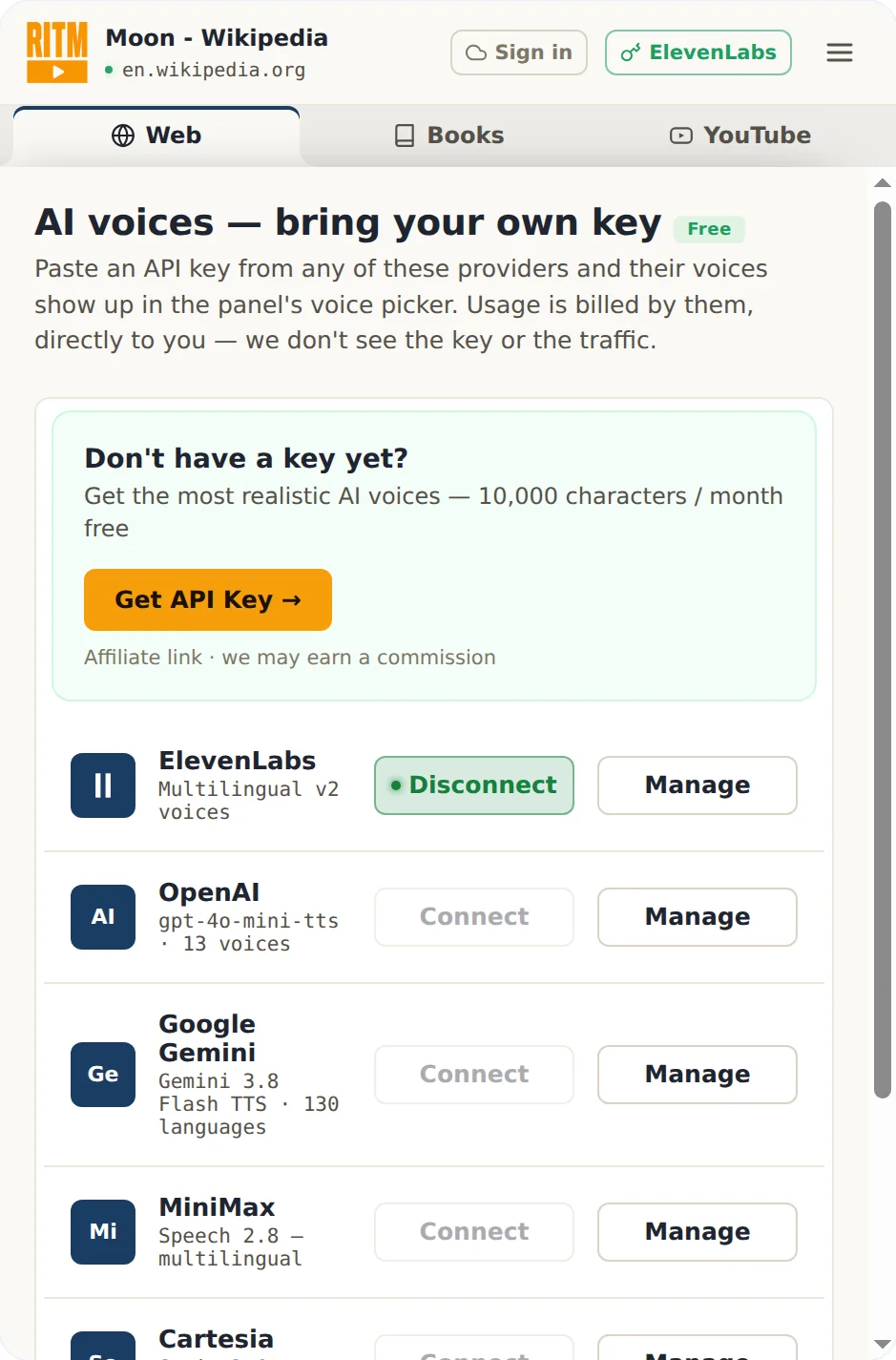
Studio voices at cost. We take nothing.
Paste an API key from ElevenLabs, OpenAI, Google Gemini, MiniMax or Cartesia, and their voices appear in the picker. They bill you directly, at their prices. We never see the key or the traffic — and we add no markup, because the money never touches us.
- Five providers, your choice, your account
- No middleman margin on top
- Optional — the free voices work out of the box
Fits the moments you already have
No new habit to build — press play and keep going.

At work
Reports and mail read aloud while your hands do the rest.

While you study
A long text goes in twice — read it and hear it.

Around the house
Hands busy. The chapter keeps going.
A reader that keeps up with you
Everything you need to listen instead of read, wherever the text lives.
Natural and AI voices
Clear built-in text-to-speech, premium AI voices, or bring your own voice API key — ElevenLabs and others.
Read PDFs, EPUB and more
Listen to PDF, EPUB, Word (DOCX), MOBI and Kindle books read aloud, page by page and kept in sync.
Dozens of languages
Reads content in many languages, with the interface available in 50+ of them.
Translate as it reads
Tap the language button: the translation in large type, the original in small type below. Handy when you are learning a language.
Read the selection
Highlight any text, right-click, and listen — right from the page you're on.
Mini player on the page
A small player right on the page. Close the side panel and keep listening.
What is Read It To Me?
of people report digital eye strain from screens — listening rests the eyes.
of audio listeners name multitasking as a top benefit.
languages the interface is translated into.
Questions people ask
Is Read It To Me free?
Yes. Reading web pages, PDFs, documents and email aloud is free, with no account and no word limit on the built-in voices. Premium AI voices are optional and can use your own voice-API key.
What can it read aloud?
Articles and any web page, PDFs, Google Docs, Word files, Kindle books, EPUB and email. Select text or open a page and press play.
How is it different from Speechify and NaturalReader?
The built-in voices are free with no word cap, there is no sign-up, and it can translate a page and read it aloud in your language. Speechify and NaturalReader gate most voices and features behind a paid plan.
Is it private?
What you read doesn’t come to us. To speak a paragraph, your browser sends it straight to the voice service — Google in Chrome, Microsoft in Edge, or the AI provider whose key you added. PDFs open on your computer; the file is never uploaded. The one exception: when you ask for an AI summary, that text goes to our server.
Sources: digital eye-strain meta-analysis (PMC/NIH); audio-listening benefits (Audio Publishers Association).
Give your eyes a break
Install Read It To Me and start listening to the web in under a minute.
Add to Chrome — it's free